




Sending faxes from a computer (LAN-Fax)
You can send a document directly from a computer through this machine to another fax machine, without printing the document.
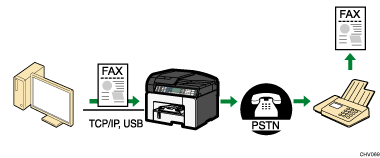
Preparation for sending faxes from a computer connected via USB
Connect the machine to a computer using a USB cable.
For details, see Connecting the Machine
 .
.Install the LAN-Fax driver on the computer.
For details, see Confirming the Connection Method
, see Quick Install and see Installing the LAN-Fax Driver (SG 3110SFNw only).Register LAN-Fax destinations in the LAN-Fax address book.
For details, see Configuring the LAN-Fax Address Book
.
Preparation for sending faxes from a computer connected via network
Connect the machine to the network.
For details, see Connecting the Machine via Ethernet Interface
.Specify the network settings, such as the machine’s IP address.
For details, see Network Settings for Ethernet and Wireless LAN
.Install the LAN-Fax driver on the computer.
For details, see Confirming the Connection Method
and see Installing the LAN-Fax Driver (SG 3110SFNw only).Register LAN-Fax destinations in the LAN-Fax address book.
For details, see Configuring the LAN-Fax Address Book
.

