




Scanning from a computer
You can operate the machine from your computer and scan originals into your computer directly.
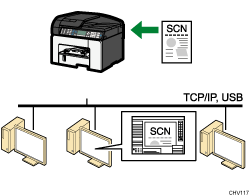
Preparation for scanning from a computer with USB connection
Connect the machine to a computer using a USB cable.
For details, see Connecting the Machine
 .
.Install the scanner driver on the computer.
For details, see Confirming the Connection Method
, see Quick Install and see Installing the TWAIN Driver.If a TWAIN-compliant application is not installed on the computer, install Presto! PageManager.
For details, see the instructions provided on the driver CD-ROM.
Preparation for scanning from a computer with network connection
Connect the machine to the network.
For details, see Connecting the Machine via Ethernet Interface
.Specify the network settings, such as the machine's IP address.
For details, see Network Settings for Ethernet and Wireless LAN
.Install the scanner driver on the computer.
For details, see Confirming the Connection Method
and see Installing the TWAIN Driver.If a TWAIN-compliant application is not installed on the computer, install Presto! PageManager.
For details, see the instructions provided on the driver CD-ROM.

