




If the Booklet Finisher SR5020 is attached
This illustration shows the output trays that can be selected when using the Booklet Finisher SR5020.
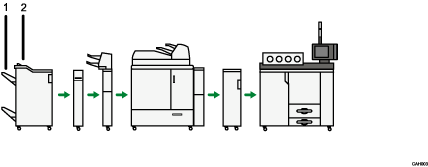
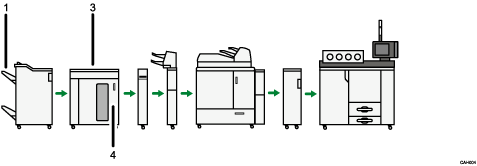
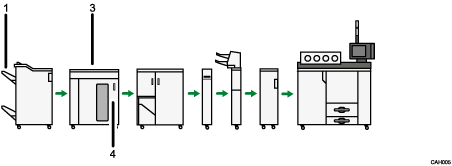
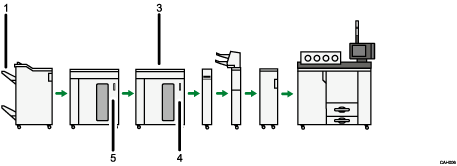
Finisher Shift Tray
Finisher Upper Tray
Stacker Upper Tray
Stacker Tray
Second Stacker Tray
Default tray if the stacker is not installed: [Finisher Shift Tray]
Default tray if the stacker is installed: [Stacker Upper Tray]

[Second Stacker Tray] appears only if [Output Tray] is set to [According to Function Setting] in [Output Tray Setting]. If you set [Output Tray] to [Auto Change], you can specify [Stacker Tray], in which case, the stacker tray or second stacker tray will be automatically selected.

