












 Manuals
 Contents
 Previous
 Next
Next


| | | |
| |||
| |||
| | | |
| ManualsContentsPreviousNext | | |
You can select a preset ratio for copying.
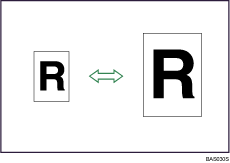
Metric version
Enlargement ratios: 141.4%, 200.0%, 282.8%, 400.0%
Reduction ratios: 25.0%, 35.4%, 50.0%, 70.7%
Inch version
Engineering
Enlargement ratios: 129.4%, 200.0%, 258.8%, 400.0%
Reduction ratios: 25.0%, 32.4%, 50.0%, 64.7%
Architecture
Enlargement ratios: 133.3%, 200.0%, 266.7%, 400.0%
Reduction ratios: 25.0%, 33.3%, 50.0%, 66.7%
Press [Reduce / Enlarge].
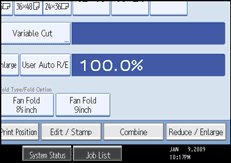
Select a ratio, and then press [OK].
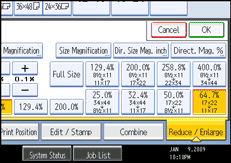
The selected ratio appears on the display.

Select one of the preset ratios based on the original size and paper size.
For details about the relationship between the original and paper sizes for preset ratios, see "Magnification Ratio Chart".
 |
 | Copyright (C) 2008 |

