












 Manuals
 Contents
 Previous
 Next
Next


| | | |
| |||
| |||
| | | |
| ManualsContentsPreviousNext | | |
Use the bypass tray to copy onto paper sizes that cannot be loaded on the paper roll trays, or cut paper tray.

Paper that has a vertical length of 210 - 914.4 mm (8.27" - 36.00") and a horizontal length of 182 - 2000 mm (7.17" - 78.74") can be copied from the bypass tray.
Insert the paper in the bypass tray lengthwise or sideways to fit it onto the feeding orientation.
Insert the paper in the bypass tray lengthwise when you use A0 size paper.
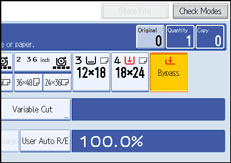
Press [Bypass], and then press the [ ] key.
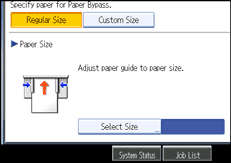
Select the size and type of the paper.
Press [OK].
Enter the number of copies with the number keys.
Place your original, and let it be scanned.
Adjust the bypass tray's paper guides to the size of the paper.
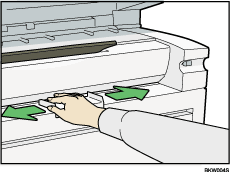
Insert the paper copy side up into the bypass tray.
The paper feeds into the machine automatically and copying starts.
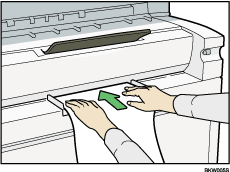

Insert the paper until you hear the beep.
Place the original centrally, so that the space on either side of its edges is even. Then push it carefully in, so that it makes light contact with the feed rollers. Support the paper with your hands until it feeds in.
Do not copy on both sides of the paper.
Do not use paper already copied or printed on.
To make multiple copies, insert an additional sheet after each feeds in.
For details about paper type and orientation that can be loaded in the bypass tray, see "Copy Paper", About This Machine.
 |
 | Copyright (C) 2008 |

