












 Manuals
 Contents
 Previous
 Next
Next


| | | |
| |||
| |||
| | | |
| ManualsContentsPreviousNext | | |
Makes copies onto regular size paper from the bypass tray.
Press [Bypass], and then press the [ ] key.
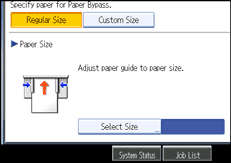
Make sure that [Regular Size] is selected.
Press [Select Size].
Select the paper size.
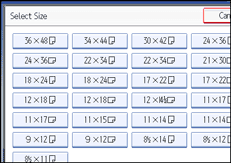
Press [OK] twice.
Place your original, and let it be scanned.
Adjust the bypass tray's paper guides to the size of the paper.
Insert the paper copy side up into the bypass tray.
The paper feeds into the machine automatically and copying starts.
 |
 | Copyright (C) 2008 |
