












 Manuals
 Contents
 Previous
 Next
Next


| | | |
| |||
| |||
| | | |
| ManualsContentsPreviousNext | | |
Makes copies onto custom size paper from the bypass tray.
Press [Bypass], and then press the [ ] key.
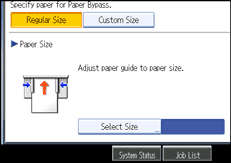
Press [Custom Size].
Enter the horizontal size of the paper with the number keys, and then press [].
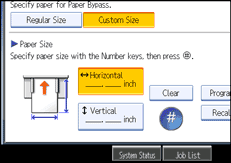
Enter the vertical size of the paper with the number keys, and then press [].
Press [OK].
Place your original, and let it be scanned.
Adjust the bypass tray's paper guides to the size of the paper.
Insert the paper copy side up into the bypass tray.

If you make a mistake in step 3 or 4, press [Clear], and then enter the value again.
 |
 | Copyright (C) 2008 |
