


Screen Configuration of the [Media] Hub
Press [Media] on the navigation bar to display [Media] hub.
You can configure and manage the paper trays and the paper that is loaded in each tray.
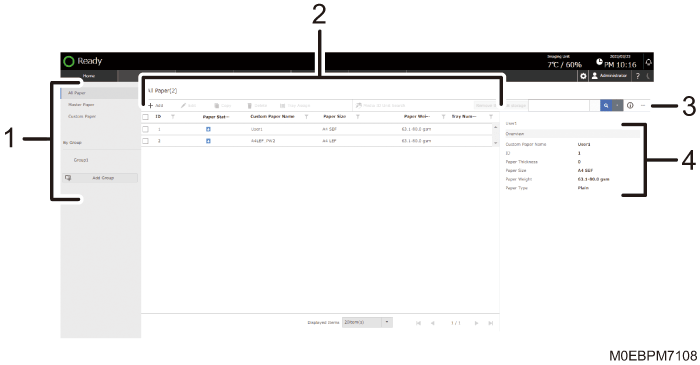
List of Items
Displays the items in the paper settings.
[All Paper]
Information of all registered paper is displayed on the registered paper list.
[Master Paper]
Information of all registered master paper is displayed on the registered paper list.
[Custom Paper]
Information of all registered custom paper is displayed on the registered paper list.
[By Group]
Information of all paper that is registered to a group is displayed on the registered paper list. Press [Add Group] to create a new group of paper.
List of Registered Paper
Displays the list of the registered paper information. You can register, modify, copy, or delete paper information. You can register the setting that is adjusted for each paper, and apply the appropriate setting for the selected paper when printing.
You can assign a registered paper setting to a specific paper tray..
You can also search for specific paper information by a user-specified paper name, paper size, and other paper attributes.
Other Settings (
 )
)You can change the title of the line to be displayed on the list of registered paper, or print the list of paper setting items. You can also import and export the paper settings.
Paper Information
Displays an overview, user-specified paper name, paper information ID, and other registered information of paper that you specify on the list of registered paper.