Copying Mixed-size Originals
You can place mixed-size originals in the ADF at the same time and copy them (Mixed Sizes).
For details about the sizes of originals that you can specify the [Mixed Sizes], see the following section:
Recommended Original Size and Weight

-
This function is available when the ADF is installed to the machine.
Copy Function
-
When placing originals of different sizes in the ADF without specifying [Mixed Sizes], paper may become jammed or parts of the original may not be copied.
-
Press [Copy] on the Home screen.
-
Press [Original Size] on the Copy screen.
If the key is not displayed, select it from [Original Setting/Store File]. -
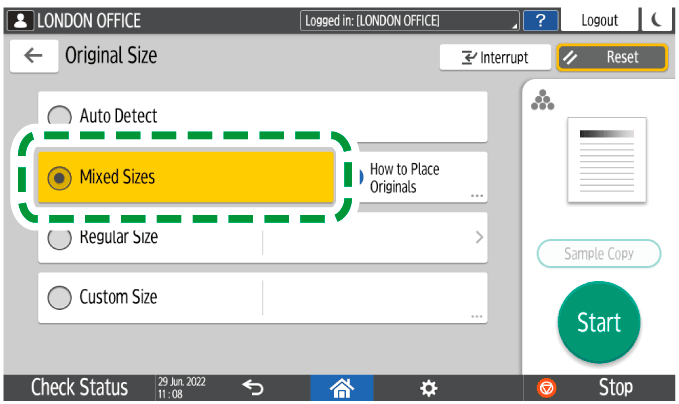
Press [Mixed Sizes].
-
Adjust the original guide on the ADF to the widest original size.
-
Place the original in the ADF.
Align the rear and left edges of the original as shown below.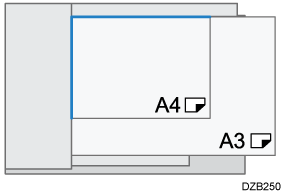
-
The reference position for placing originals differs depending on the type of ADF you are using. Press [How to Place Originals] on the copy screen to confirm the position for placing originals.
-
When you copy combining [Mixed Sizes] and [1 sided→2 sided], be sure to set an original of the same size for the front and back sides. If the size of the original cannot be the same, insert a blank sheet for adjustment.
-
-
Press [Start].

-
It takes more time to print or read.