Using the Bypass Tray to Copy
Use the bypass tray to copy onto the paper described below.
-
Paper of a size that cannot be loaded in the paper tray
-
Special paper such as label paper (adhesive labels)
For details about the size, type, and weight of paper that can be loaded in the bypass tray, see the following section:
Recommended Paper Sizes and Types

-
You cannot perform Duplex Copy onto the following paper types. If Duplex Copy is specified, press [1 sided→2 sided] or [2 sided→2 sided] on the Copy screen to cancel the setting.
-
Label paper (adhesive labels)
-
Envelopes
-
Thick Paper 4:257–300g/m2 (Approx. 140 lb. Index–110 lb. Cover)*1
-
Coated paper
*1
 (mainly Europe)
When using IM C2010/C2010A/C2510/C2510A, you cannot perform Duplex Copy onto Thick Paper 2-Thick Paper 4.
*1
(mainly Asia)/  (mainly North America and Taiwan)
When using IM C2010/C2510/C2519J/GS4020c/GS4025c, you cannot perform Duplex Copy onto Thick Paper 2-Thick Paper 4.
-
-
Press [Copy] on the Home screen.
-
Place the paper into the bypass tray with the copying side face down.
Loading Paper into the Bypass Tray
The "Bypass Tray Paper Settings" screen is displayed.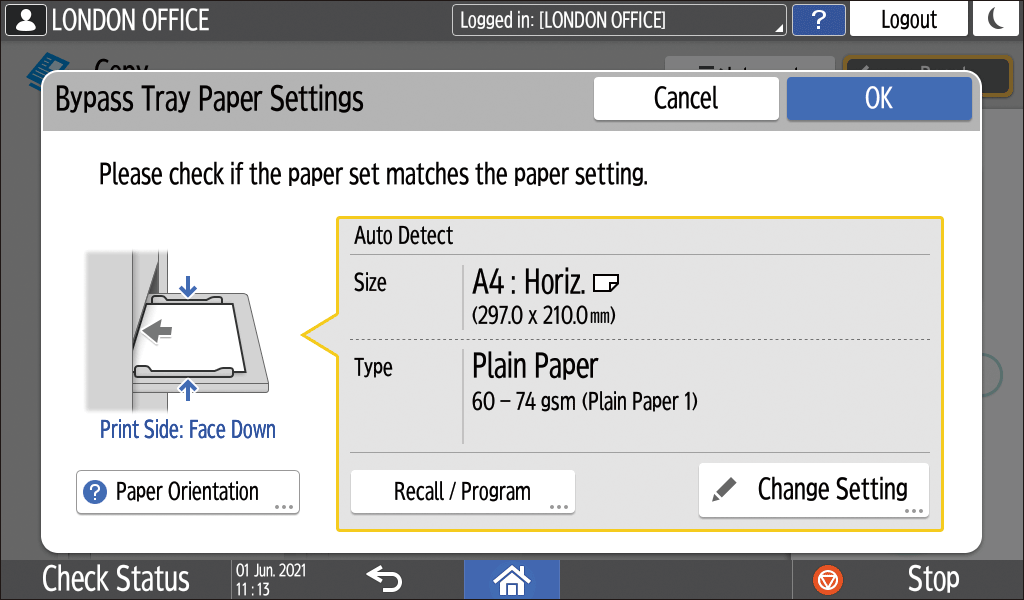
-
When using paper that is detected automatically, the paper size need not be specified. Confirm the displayed settings, and press [OK] if no change is required. Proceed to Step 7.
-
To change the displayed settings, proceed to the next step.
-
-
Press [Change Setting].
-
Select a paper type, and then proceed to the next screen.
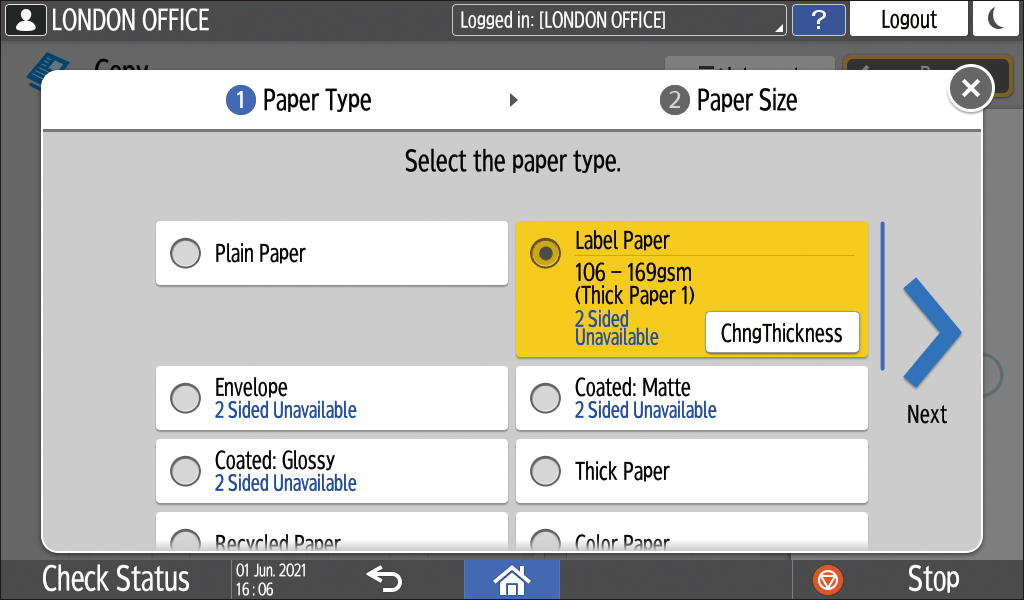
To change the paper thickness, press [ChngThickness], and then specify the paper weight. -
Select a paper size, and then press [OK].
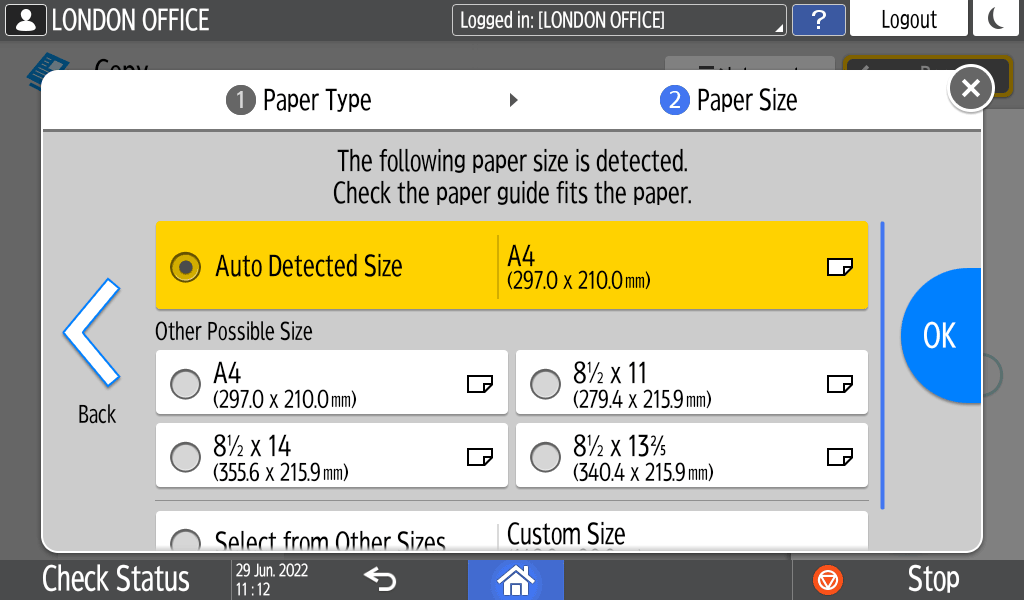
-
When the paper is detected automatically, confirm the displayed settings, and if there are no changes, press [OK] to proceed to the next step.
-
When you select [Select from Other Sizes]
 [Custom Size], enter the paper size.
-
-
Confirm the settings on the "Bypass Tray Paper Settings" screen, and then press [OK].
When you press [Recall / Program] on the "Bypass Tray Paper Settings" screen, you can register the type and size of the paper set in the bypass tray or recall the registered settings. -
Place the original.
Basic Procedure for Copying Documents -
Press [Start].