




 Previous
Adjust the image position printed on the paper by adjusting the start position of writing.
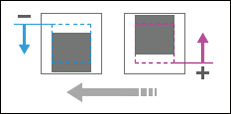
Side 1
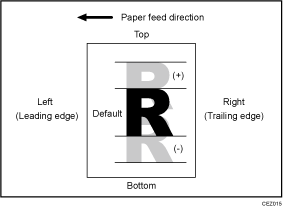
Press [ ] to shift the image to the top.
Press [ ] to shift the image to the bottom.
Side 2
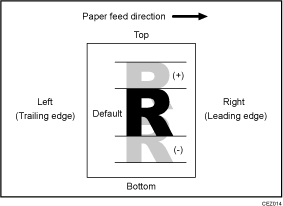
Press [] to shift the image to the top.
Press [] to shift the image to the bottom.
Setting Items |
Default Value |
Max. Value |
Min. Value |
Step |
Unit |
|---|---|---|---|---|---|
[Tray 1] |
0.0 |
3.0 |
-3.0 |
0.1 |
mm |
[Tray 2] |
|||||
[Tray 3] |
|||||
[Tray 4] |
|||||
[Tray 5] |
|||||
[Tray 6] |
|||||
[Tray A] |
|||||
[2 Sided] |
|||||
[Tray T1] |
|||||
[Tray T2] |
|||||
[Tray T3] |
|||||
[Tray T4] |

If sheets are delivered face down, turn them over horizontally and check the image position.
This setting is not effective for paper fed from paper trays with custom paper presets. For such paper, the value specified in [Across Feed] in [Image Position: Side 1] / [Image Position: Side 2] in 1101 [Image Position] in "Advanced Settings" takes precedence.


