


 Previous
Paper dust sticking to the paper transfer guide plate, roller, paper feed roller, or sensor may cause white spots, paper jam, or double feeding. Clean the paper feed path from the paper tray to the paper exit in the drawer.

Turn off the main power before performing the operations described in this manual. See "Turning Off/On the Power", Replacement Guide.
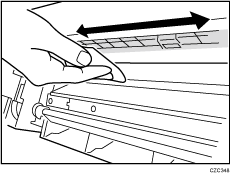
Guide Plate
Wipe the guide plate with a well-wrung-out damp cloth. To clean the innermost recesses, use a cloth that is as large as your palm.
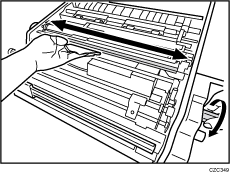
Roller
Wipe the roller with a well-wrung-out damp cloth, and then wipe with a dry, unused, lint-free cloth until no moisture remains.
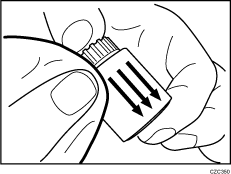
Paper Feed Roller
Wipe the entire surface of the paper feed roller lengthwise with a well-wrung-out damp cloth, and then wipe with a dry, unused, lint-free cloth until no moisture remains.
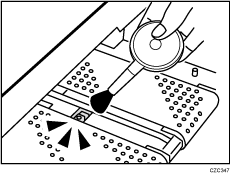
Sensor
Remove dust with a blower brush.
Related topics
Cleaning the Paper Feed Path for Paper Tray 1Cleaning the Wide LCT
Cleaning the Paper Feed Path in the Drawer
Cleaning the Paper Feed Path in the Multi Bypass Tray
Cleaning the Paper Feed Rollers and Paper Feed Belt in the Interposer
Cleaning the Rollers and Guide Boards in the Finisher

