


 Previous
The paper misfeed message " (A)" appears when a paper misfeed occurs in the standard paper feed tray.
 Pull out the paper tray, and then carefully remove any misfed paper.
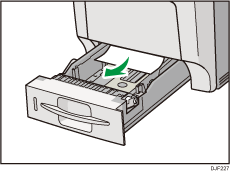
 Push in the paper tray. Make sure the tray is securely inserted to avoid paper jams.
 Carefully open the printer's front cover by pulling the left and right side levers.
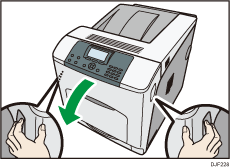
 Carefully close the front cover.

When closing the front cover, push the upper side of the cover firmly. After closing the cover, check that the error has cleared.


