


 Previous
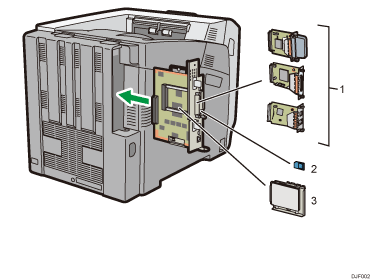
Optional interface units
Wireless LAN board
Allows you to communicate over a wireless LAN.
IEEE 1284 interface board
Allows you to connect to an IEEE 1284 cable.
USB device server
Allows you to add an Ethernet port to the printer and use two IP addresses at the same time.
To attach this option, see Installing the Interface Units.
SD memory card options
Camera direct print card
Allows you to directly print images taken with a PictBridge-compatible digital camera.
VM card
With this card, you can install embedded software applications.
XPS card
Allows you to print XPS files.
To attach this option, see Installing SD Card Options.
Hard disk
Allows you to store documents to be printed.
To attach this option, see Installing the hard disk.

If you want to use two or more SD cards that can be inserted in the same slot, contact your sales or service representative.


