




 Manuals
 Contents
 Previous
 Next
Next


| | | |
| |||
| |||
| | | |
| ManualsContentsPreviousNext | | |
The " (B)Open Paper Exit Cover and remove misfeed." error message appears if a paper jam occurs in the paper exit section.

Forcefully removing misfed paper may cause paper to tear and leave scraps of paper in the printer. This might cause a misfeed and damage the printer.
Be sure to put the print cartridge on a stable, flat surface.
Do not hold the print cartridge upside down or stand it vertically.
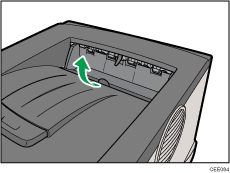
Open the paper exit cover.
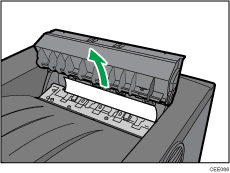
Remove the misfed paper.
Close the paper exit cover until it clicks.
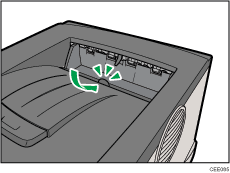

Once all misfed paper is removed, the error message will disappear and printing will continue.
 |
 | Copyright (C) 2010 |
