




 Manuals
 Contents
 Previous
 Next
Next


| | | |
| |||
| |||
| | | |
| ManualsContentsPreviousNext | | |

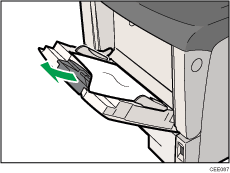
Remove the paper from the bypass tray before opening the front cover.
Forcefully removing misfed paper may cause paper to tear and leave scraps of paper in the printer. This might cause a misfeed and damage the printer.
Remove the misfed paper.
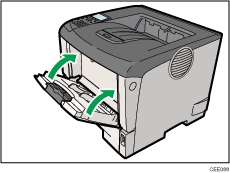
Close the bypass tray.
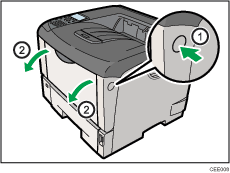
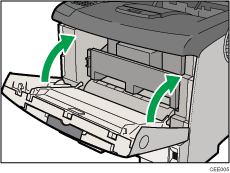
Open the front cover by pushing the front cover release button, and then close it to reset the misfeed condition.
 |
 | Copyright (C) 2010 |
