




 Manuals
 Contents
 Previous
 Next
Next


| | | |
| |||
| |||
| | | |
| ManualsContentsPreviousNext | | |

Forcefully removing misfed paper may cause paper to tear and leave scraps of paper in the printer. This might cause a misfeed and damage the printer.
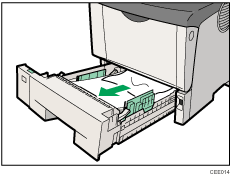
Pull out the paper tray until it stops, and then remove misfed paper.
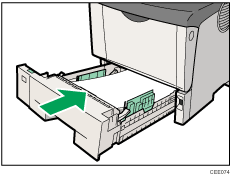
Carefully slide the paper tray into the printer until it stops.
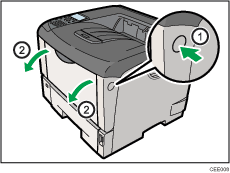
Open the front cover by pushing the front cover release button.
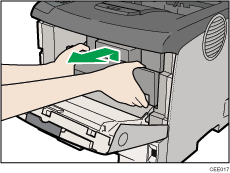
Lift the front side of the print cartridge, and then pull it out of the printer.
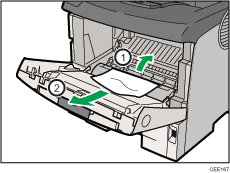
Pull out the misfed paper by holding both sides of paper. Be careful not to get toner dust on your hands or clothes.
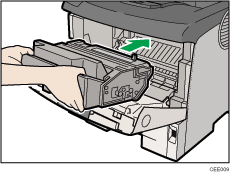
Hold the grips of the print cartridge, and then insert it into the printer until it stops.
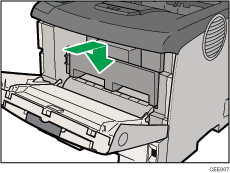
Push down the print cartridge to secure it in the appropriate position.
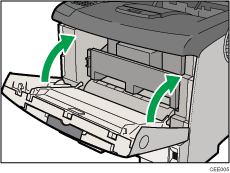
Close the front cover.
 |
 | Copyright (C) 2010 |
