




 Manuals
 Contents
 Previous
 Next
Next


| | | |
| |||
| |||
| | | |
| ManualsContentsPreviousNext | | |

Maximized settings may produce smudged printouts.
Image Density settings should be made from the application or the printer driver whenever possible.
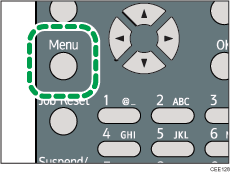
Press the [Menu] key.
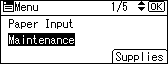
Press the [ ] or [
 ] key to select [Maintenance], and then press the [OK] key.
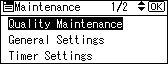
Press the [ ] or [ ] key to select [Quality Maintenance], and then press the [OK] key.
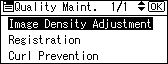
Press the [ ] or [ ] key to select [Image Density Adjustment], and then press the [OK] key.
Press the [ ] or [ ] key to specify the image density, and then press the [OK] key.
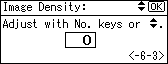
You can specify the image density in the range from -6 to +3.
Press the [Menu] key.

To maintain a darker image under high volume printing conditions, Selecting 3 from the control panel is highly recommended.
You can adjust the image density in seven steps from -6 to +3. Increasing the value makes the printouts darker and decreasing the value makes the printouts lighter.
 |
 | Copyright (C) 2010 |
