




 Manuals
 Contents
 Previous
 Next
Next


| | | |
| |||
| |||
| | | |
| ManualsContentsPreviousNext | | |
You can adjust the printing position for each tray. "Horizontal" means perpendicular to the feed direction. "Vertical" means it's parallel to the paper feed direction. Normally you do not need to update the printing position. However, updating is useful in some cases when the optional paper feed unit is installed.
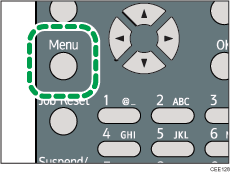
Press the [Menu] key.
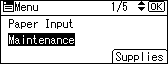
Press the [ ] or [
 ] key to select [Maintenance], and then press the [OK] key.
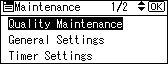
Press the [ ] or [ ] key to select [Quality Maintenance], and then press the [OK] key.
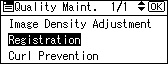
Press the [ ] or [ ] key to select [Registration], and then press the [OK] key.
Press the [ ] or [ ] key to select [Print Test Sheet], and then press the [OK] key.
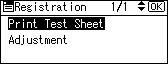
Press the [ ] or [ ] key to select the tray you want to adjust, and then press the [OK] key.
Confirm the position of the image on the test sheet, and then adjust the registration value.
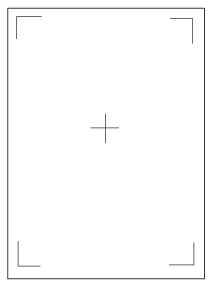
Use this sheet to confirm the current print position.
Press the [Escape] key until the screen returns to the [Registration] menu.
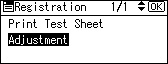
Press the [ ] or [ ] key to select [Adjustment], and then press the [OK] key.
Press the [ ] or [ ] key to select the parameter you want to adjust, and then press the [OK] key.
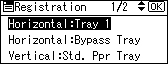
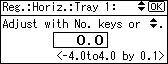
Enter the value (mm), and then press the [OK] key.
Increase the value to shift the print area in the direction indicated by the " " symbol in the diagram below. Decrease the value to shift the print area in the direction indicated by the "
 " symbol.
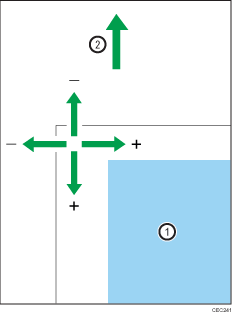
 : Print Area
 : Paper Feed Direction
Pressing the [ ] or [ ] key adjusts the value up or down in 0.1 mm increments.
Press the [OK] key to return to the [Registration] menu.
Print the test sheet to confirm the adjustment result.
Press the [Menu] key to return to the initial screen.
 |
 | Copyright (C) 2010 |
