












 Manuals
 Contents
 Previous
 Next
Next


| | | |
| |||
| |||
| | | |
| ManualsContentsPreviousNext | | |
When paper is loaded which cannot be detected automatically, the user must set the paper size on the control panel. This section describes how to specify the paper size.
Press the [Tray Paper Setting] key.
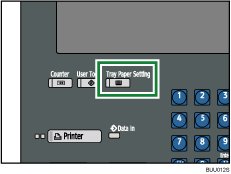
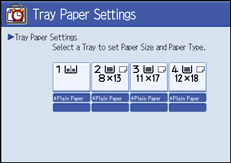
The Tray Paper Settings display appears.
Select the tray number on the screen.
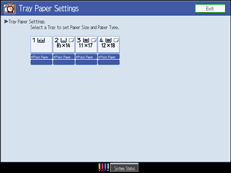
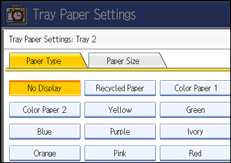
Press [Paper Size] tab.
Select a combination of the specified paper size and orientation, and then press [OK].
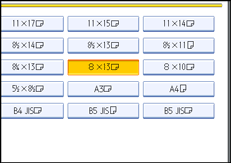
The set paper size and feed direction is displayed.
Press the [Tray Paper Setting] key.
The initial display is shown.

For details about paper sizes selected automatically, see "Recommended Paper Sizes and Types", About This Machine.
If you want to print on paper that is selected automatically after printing on a paper size that is not selected automatically, you must return the setting to "Auto Detect". Reload the paper, and select "Auto Detect" in step 4. The setting is returned to "Auto Detect".
 |
 | Copyright (C) 2008, 2009 |
