












 Manuals
 Contents
 Previous
 Next
Next


| | | |
| |||
| |||
| | | |
| ManualsContentsPreviousNext | | |
This section explains how to correctly display the top/bottom orientation of scanned originals on a client computer screen.
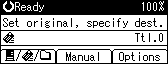
Press [Options].
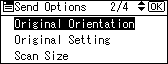
Press the [ ] or [
 ] key to select [Original Orientation], and then press the [OK] key.
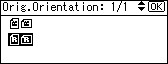
Select [ ] or [
 ] for the same orientation as the original, and then press the [OK] key.
"Programmed" appears, and then the Send Options screen reappears.
Press the [Escape] key.
 |
 | Copyright (C) 2008 |
