




Configuring Network Settings When Using NetWare
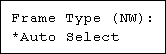
If you use NetWare, select the frame type for NetWare.
Select one of the items below if necessary.
Auto Select (Default)
Ethernet II
Ethernet 802.2
Ethernet 802.3
Ethernet SNAP

Usually, use the default setting (Auto Select). When you first select [Auto Select], the frame type detected by the printer is adopted. If your network can use more than two frame types, the printer may fail to select the correct frame type if [Auto Select] is selected. In this case, select the appropriate frame type.
To use NetWare, the optional NetWare card must be installed.
 Press the [Menu] key.
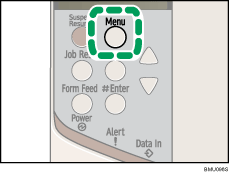
The [Menu] screen appears.
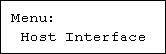
 Press the [
 ] or [
 ] key to display [Host Interface], and then press the [
 Enter] key.
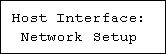
 Press the [] or [] key to display [Network Setup], and then press the [ Enter] key.
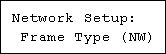
 Press the [] or [] key to display [Frame Type (NW)], and then press the [ Enter] key.
 Press the [] or [] key to select the frame type, and then press the [ Enter] key.
 Press the [Menu] key.
The initial screen appears.
 Print a configuration page to confirm the settings made.

"Printing the Test Page", Quick Installation Guide.

