












 Manuals
 Contents
 Previous
 Next
Next


| | | |
| |||
| |||
| | | |
| ManualsContentsPreviousNext | | |
Use this function to move (shift) the copy image up, down, left, or right to create a margin. You can also shift in a combination of up/down and left/right.
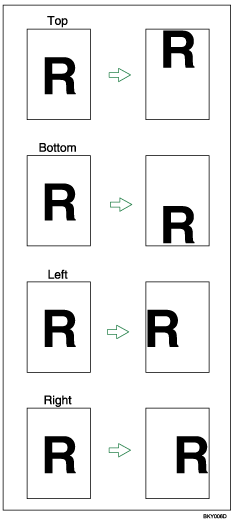
You can select the following types of margin for this function:
[ ] (Top): shifts towards the leading edge of the original.
[ ] (Bottom): shifts towards the trailing edge of the original.
[ ] (Left): shifts towards the left of the original.
[ ] (Right): shifts towards the right of the original.
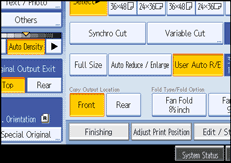
Press [Adjust Print Position].
Use [] or [] to specify the horizontal position.
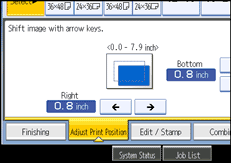
Use [] or [] to specify the vertical position.
Press [OK].

The default setting is Bottom 20 mm (0.8") and Right 20 mm (0.8").
 |
 | Copyright (C) 2008 |

