












 Manuals
 Contents
 Previous
 Next
Next


| | | |
| |||
| |||
| | | |
| ManualsContentsPreviousNext | | |
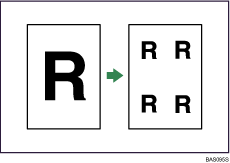
The original image is copied repeatedly.

You cannot use the bypass tray with this function.
The number of repeated images depends on the original size, copy paper size, and reproduction ratio. For example, you can copy eight A4 (A) images to one sheet of A1 (D) size paper.
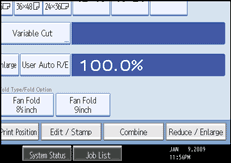
Press [Edit / Stamp].
Press [Edit Image].
Press [Image Repeat].
Press [OK].
Select the paper tray.

You can insert separation lines (solid, broken, crop marks) between repeated images.
When using Image Repeat with Adjust Print Position, the composite image is shifted.
 |
 | Copyright (C) 2008 |
