












 Manuals
 Contents
 Previous
 Next
Next


| | | |
| |||
| |||
| | | |
| ManualsContentsPreviousNext | | |
When Synchro Cut is selected, you can create a margin on the copy's leading and trailing edge.
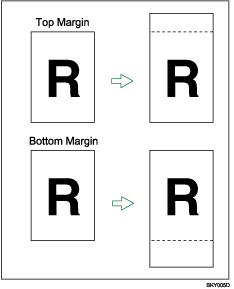

You cannot use the bypass tray with this function. You can select the following types of margin for this function:
Top Margin: margin at the leading edge of the original (top of copy).
Bottom Margin: margin at the trailing edge of the original (bottom of copy).
Press [Edit / Stamp].
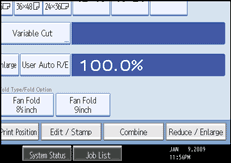
Press [Margin Adj.].
Press [Top Margin] or [Bottom Margin].
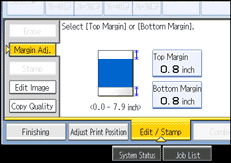
Use [ ] or [
 ] to specify the margin, and then press [OK].
[Synchro Cut] is automatically selected.

You can specify the margin from 0 to 200 mm (7.8") in 1 mm (0.1") increments. The default margin is 20 mm (0.8").
You can specify both the top and the bottom margins at a time.
The copy length is the length automatically specified by Synchro Cut plus the margin specified.
 |
 | Copyright (C) 2008 |
