












 Manuals
 Contents
 Previous
 Next
Next


| | | |
| |||
| |||
| | | |
| ManualsContentsPreviousNext | | |
One original image is copied twice on one sheet.
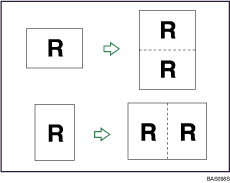

You cannot use the bypass tray with this function.
Press [Edit / Stamp].
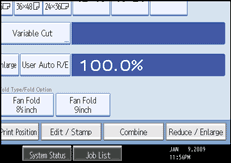
Press [Edit Image].
Press [Double Copies].
Press [OK].
Select the paper size.

You can insert separation lines (solid, broken, crop marks) between two images.
When using Double Copies, the copy paper must be twice as large as the original. When using Reduce/Enlarge, consider the magnification ratio when selecting the paper size.
 |
 | Copyright (C) 2008 |
