












 Manuals
 Contents
 Previous
 Next
Next


| | | |
| |||
| |||
| | | |
| ManualsContentsPreviousNext | | |
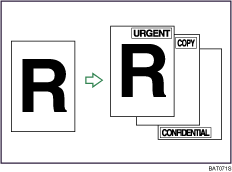
Messages are stamped on copies.

You cannot use the bypass tray with this function.
Only one message can be stamped at a time.
The following eight messages are available for Preset Stamp:
"COPY", "URGENT", "PRIORITY", "For Your Info.", "PRELIMINARY", "For Internal Use Only", "CONFIDENTIAL", "DRAFT"
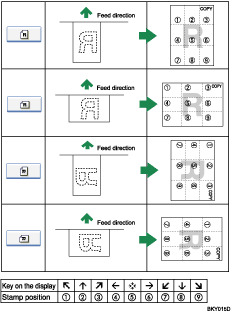
Stamp position and original orientation
The stamp positions differ according to the orientation in which you place the originals.
Press [Edit / Stamp].
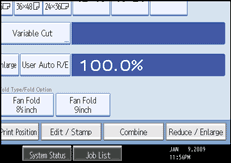
Press [Stamp].
Press [Preset Stamp].
Select the desired message.
You can change the position, size, and density of the stamp.
Press [All Pages] or [1st Page Only] to select the print page.
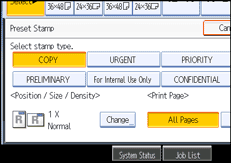
After making all settings, press [OK].
Press [OK].

You can combine this function with up to four other stamp functions.
You can change the priority of the selected stamp.
 |
 | Copyright (C) 2008 |

