












 Manuals
 Contents
 Previous
 Next
Next


| | | |
| |||
| |||
| | | |
| ManualsContentsPreviousNext | | |
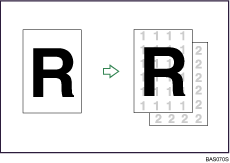
Use this function to have numbers printed on the background of copies.
If this function is used in conjunction with Sort, the same numbers are printed on each set of copies, helping you keep track of confidential documents.
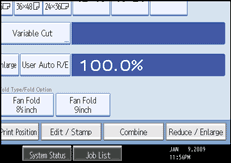
Press [Edit / Stamp].
Press [Stamp].
Press [Background Numbering].
Enter the number to start counting from with the number keys, and then press [ ].
].
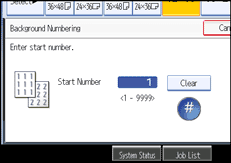
You can enter a number between 1 and 9999.
Press [OK] twice.

To change the value entered in step 4, press [Clear] to set a new value.
You can combine this function with up to four other stamp functions.
 |
 | Copyright (C) 2008 |
