




Registering the adjusted color balance
Register adjusted color balance settings so that you can use them later.
 Adjust the color balance.
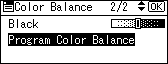
 Select [Program Color Balance] using [
 ] or [
 ], and then press the [OK] key.
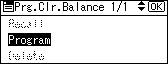
 Select [Program] using [] or [], and then press the [OK] key.
 Select a program number ([1]-[3]) for this setting, and then press the [OK] key.
The color balance setting will be registered in the selected number.
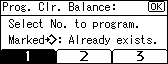

If you select the program number key where the
 is displayed in 4 and select [Yes], the previously registered settings will change (will be overwritten).
For details about how to adjust the color balance, see “Color Balance”.


