Checking the Messages Displayed on the Control Panel
The machine displays messages on the control panel to notify the user of the machine status. Check the status, and operate as required.
When Messages Appear
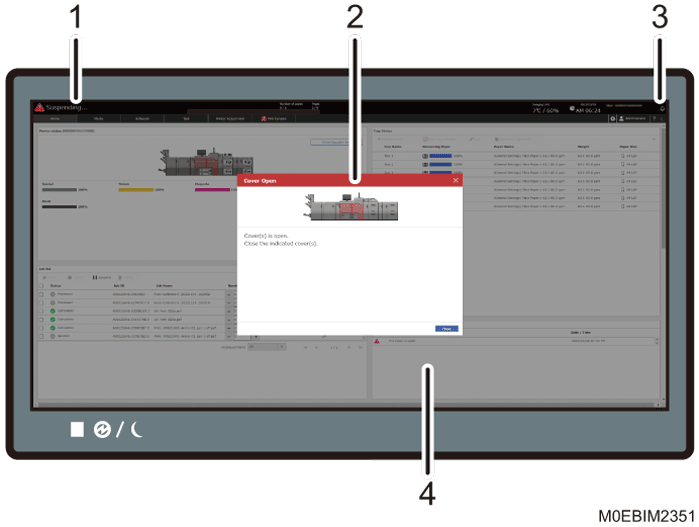
Machine Status
Shows the machine status in a simplified form. You can check whether the machine is ready to print, and other machine conditions.
Emergency Message Screen
Displays a detailed message screen when the machine requires immediate user action.
Alarm Icon
This icon is displayed when a message that requires user action is displayed. Press the alarm icon (
 ) to view the message when a screen other than the [Home] hub is displayed.
[System Messages] tile in the [Home] hub
You can check the system messages.

The operator attention indicator also lights up when a message that requires user action is displayed.
When an Alarm Icon Is Displayed
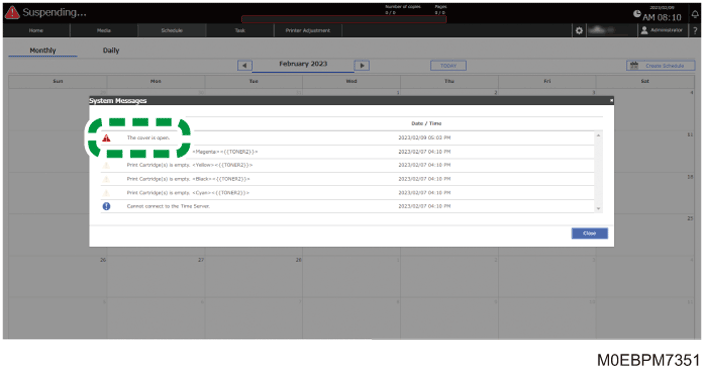
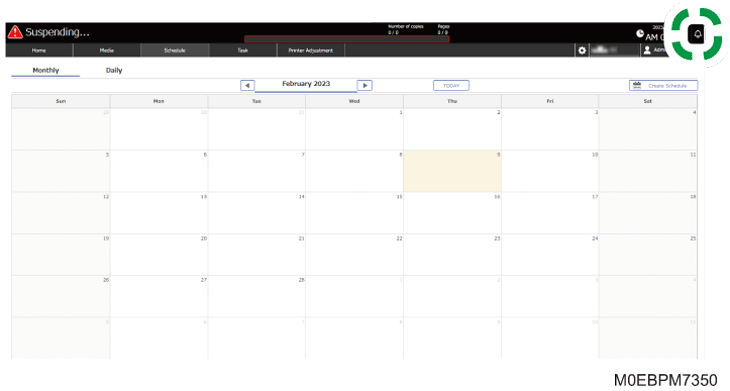
Press the alarm icon () to check the message.
 Press the alarm icon ().
 Press the message to check it in detail, and act accordingly.