


Setting the Clock
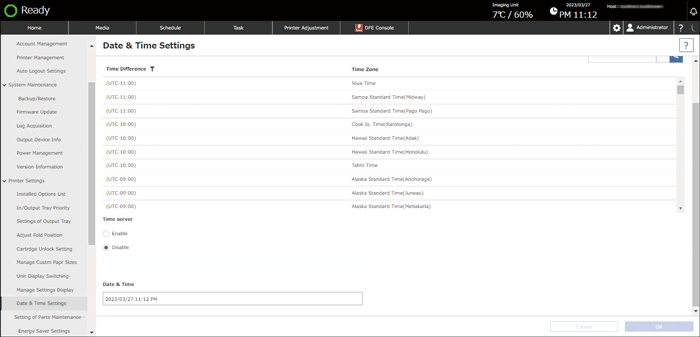
Specify the date and time manually if you are using the machine with the clock not synchronized with the UI server.

To specify the date and time manually, specify [Disable] in [Time server].
 Login to the machine using a user account with a role that can change the date and time settings.
 Press [
 ].
].
 Press the [Date & Time Settings] in [Printer Settings].
 Enter the current date and time in "Date & Time Settings".
According to the protocol to use, specify the following settings:
 Press [OK].