


Registering/Modifying/Deleting a User Account
Enter the information required for authentication when creating a user account.
In the default setting, two pre-defined users are available: operator and administrator. The pre-defined users cannot be deleted.
You can register up to 1,000 user accounts inducing 6 pre-defined users*.
* Pre-defined users other than Operator and Administrator do not appear in normal operation.
 Log in to the machine using a user account with a role that can change the account management settings.
 Press [
 ].
].
 Press [Account Management] in [System Settings].
 Press [Add] in [User].
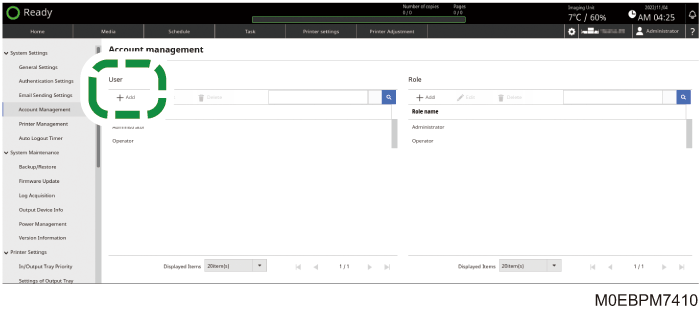
To modify a registered user, select a user, and then press [Edit].
To delete a registered use, specify the account to delete, and then press [Delete].
 Specify the account information.
Configure and register the following items:
User name: Enter the user name to use when logging into the machine. The name cannot be changed afterward.
Specify a name that is unique on the machine, using up to 30 UTF-8 characters (no blanks allowed).
Role: Specify the role to assign on the selected user account. The role of the pre-defined users cannot be changed.
Default: Operator
Password/Confirmation Password: Enter a password to use when logging in to the machine.
Up to 128 alphanumeric characters only
Email: Specify the destination e-mail address to which to send the temporary password using up to 256 characters.
Language: Use the keys on the right to set the priority of the on-screen languages for each account.
Default: English
 Press [OK].