


Screen Configuration of the [Settings] Hub
Press [ ] on the navigation bar to display [Settings] hub.
You can configure the items displayed on the control panel, specify the machine behavior, create, or edit the timer, configure the network, and specify other system-wide settings of the machine.
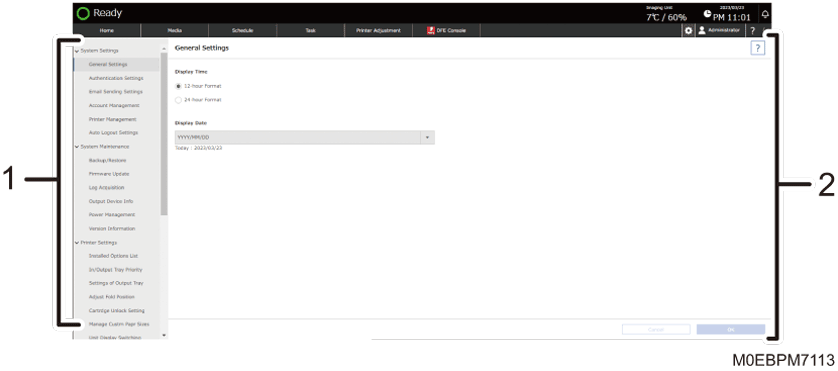
List of Setting Items
Displays the system-wide setting items.
Setting Details
You can view the detail of the selected setting item, and adjust the setting.