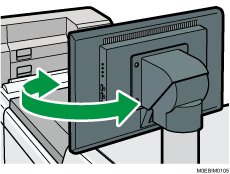
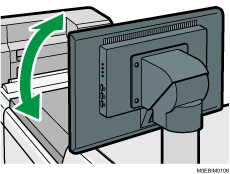
Names and Functions of the Control Panel
The touch panel that displays the operation screen of the machine is referred to as the "Control Panel".
On the side of the control panel, interfaces for connecting external devices are provided.
Even when the screen is turned off, the LED indicators in the lower left corner of the control panel show the status of the machine.
Touch Panel/Interface
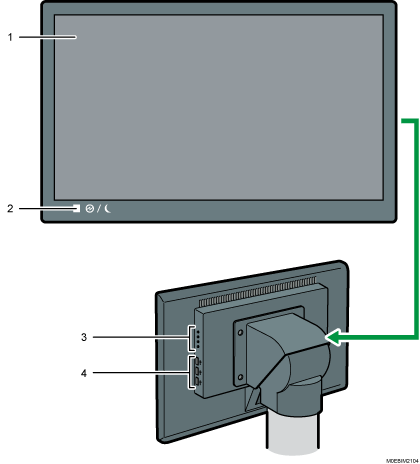
Touch panel
This is a touch panel display that features icons, control panel, and keys that allow you to navigate the screens of the various functions and provide you with information about operation status and other messages. For details, see Screen Configuration of the [Home] Hub.
Main power indicator
The main power indicator goes on when you turn on the main power switch. It flashes when the machine is in Sleep Mode.
Display adjustment keys
Adjust the screen brightness, contrast, and other settings.
USB Host Interface
Connect a keyboard, mouse, or other USB device.

You can adjust the angle of the control panel to improve visibility.