


Screen Configuration of [Printer Adjustment] Hub
Press [Printer Adjustment] on the navigation bar to display [Printer Adjustment] hub.
You can adjust the image position and quality in addition to the various settings of the printer and other optional devices.
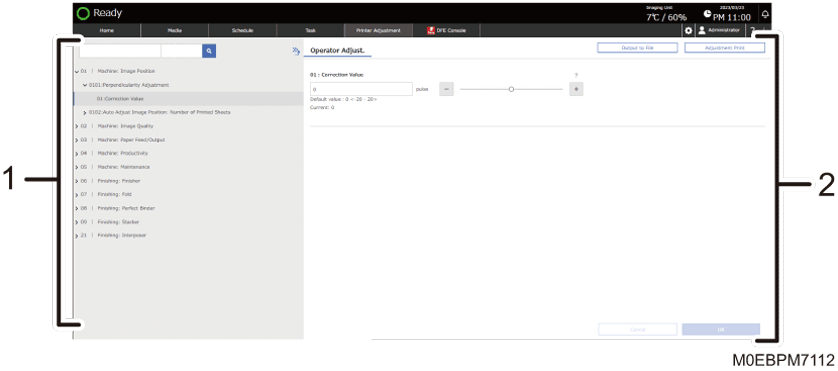
Adjustment Items List
Displays the list of adjustment items.
Adjustment Details
You can view the detail of the selected adjustment item, and adjust the printer.