Copying from the Bypass Tray
Use the bypass tray to copy onto recycled paper, letterhead, preprinted, OHP transparencies, adhesive labels, envelopes, color paper, special paper, and paper that cannot be loaded in the paper trays.
About how to load paper in the bypass tray, see User Guide of your device.
For details about paper sizes that can be loaded in the bypass tray, see User Guide of your device.
If the paper type you want to copy onto is not shown on the [Paper Type] screen, you must specify the paper type in the following settings. For details, see User Guide of your device.
Settings screen type: Standard
[Tray/Paper Settings]Settings screen type: Classic
[System Settings] [Tray Paper Settings]
For details about how to copy from the paper bypass location when using a wide format printer, see the following section:
Copying from the Paper Bypass Location
Paper Orientation
Press [Paper Orientation] on the [Bypass Tray Paper Settings] screen to display an explanation about the originals and paper orientation.
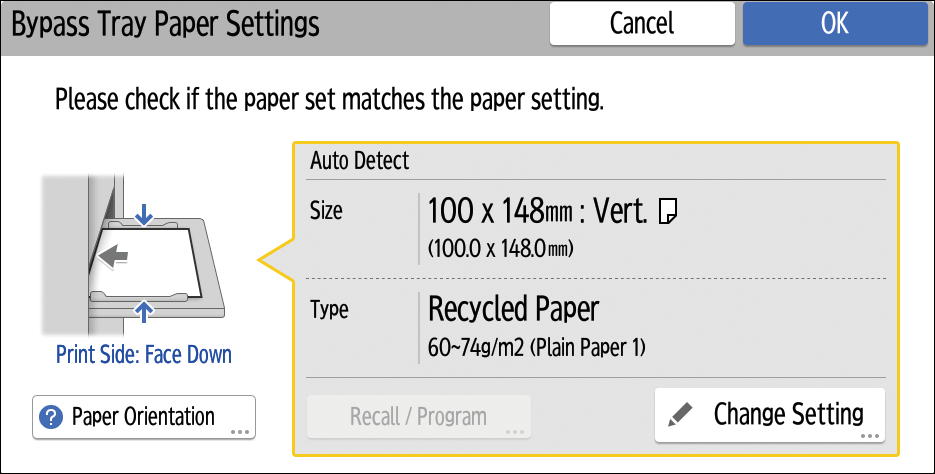
Load the paper in the bypass tray.
The bypass tray paper settings screen is automatically displayed.Confirm the paper type and size, and then press [OK].
Place the originals, and then press [Start].
When the copy job is finished, press [Reset] to clear the settings.

If the bypass tray is not automatically selected, press [
 ].
].