




 Previous
You can save all the registered custom paper to the library archive at one time.
Up to 1,000 custom papers can be saved in the library.
Sheets of custom paper are assigned with a sequential number from 0001. New data overwrites existing data if both the paper names and paper size settings are the same.
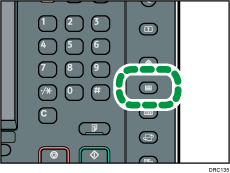
 Press the [Paper Setting] key.
 Press [Edit Custom Paper].
 Press [Save to Library Archive].
 Press [Yes].
 Press [Exit] twice.
 Press the [Paper Setting] key.

If there is no available space in the library archive, a message will appear when you try to save custom papers. For details, contact your machine administrator.
When you register a custom paper by recalling its settings from the library archive, the settings corresponding to the recalled custom paper are copied and created as new settings on the color controller. Note that the color controller-specific information of the original settings will not be copied to the created settings.


