




 Previous
The two-tray wide LCT is identified as Tray T1, Tray T2, Tray T3, and Tray T4.

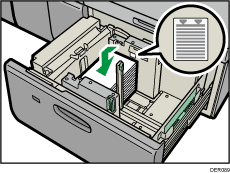
Check the paper edges are aligned at the left side.
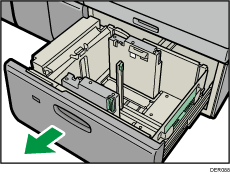
 Check that paper in the paper tray is not being used, and then pull the tray carefully out until it stops.
 Load paper into the paper tray with print side up.
Do not stack paper over the limit mark.
 Push the paper tray fully in until it clicks.

Various sizes of paper can be loaded in the two-tray wide LCT by adjusting the positions of side fence and end fence. For details, see Changing the Paper Size in the Two-tray Wide Large Capacity Tray.
You can load envelopes in the two-tray wide LCT. When loading envelopes, place them in the correct orientation. For details, see Envelopes.


