




 Previous
You can copy designated pages onto designation sheets.
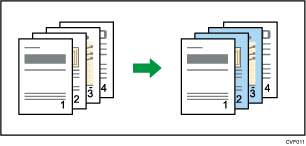
Before using this function, select the tray for designation sheets under [Tray Paper Settings]. For details, see "Changing Tray Paper Settings", Paper Settings.
 Press [Cover/ Slip Sheet].
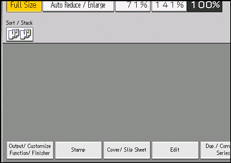
 Press [Designate / Chapter].
 Press [Designation Sheet Copy].
 Enter the sheet number of the first original with the number keys.
To select chapters 21 to 40, press [21–40].
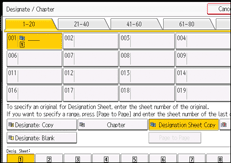
 Press [Page to Page].
 Enter the sheet number of the last original with the number keys.
 Select the designation sheet tray that contains the paper for the designation sheets, and then press the [
 ] key.
 To specify another page location, repeat steps 4 to 7.
Up to 100 locations can be specified.
 Select the main sheet tray that contains the sheet to copy the originals.
 Press [OK] twice.

When this function is combined with Duplex, the first page of the designated pages is copied on the front side of a designation sheet.
The designation sheets should be the same size and orientation as the main sheet.


