




 Previous
Select the tray containing the paper you want to copy onto: a paper tray or the bypass tray.
 When Using the Copy Application
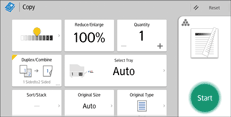
About how to use the application's screen, see "[Copy] Screen", Getting Started.
 When Using the Copier (Classic) Application
For details about how to use the Classic Copier function, see Procedure for Manual Paper Select (Classic).


