




 Previous
Using Batch mode, you can copy an original that is too large to place in the ADF by placing it in the ADF in sections (batches). The original will be scanned and stored as a single document.
The maximum number of sheets you can load in the ADF is 50. In the case of paper having a length of 210 mm or more, the maximum number of sheets that can be loaded and delivered is 20.
 When Using the Copy Application
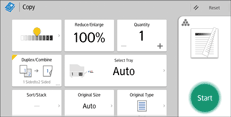
About how to use the application's screen, see "[Copy] Screen", Getting Started.
 When Using the Copier (Classic) Application
For details about how to use the Classic Copier function, see Procedure for Batch Mode (Classic).


