


 Previous
When you use paper other than the standard types, specks of paper may stick on the registration roller, causing problems. Clean the registration roller if white dots appear on prints.
Clean the registration roller if printed paper becomes smeared after a paper jam is cleared.

|

Do not use chemical cleaners or organic solvents such as thinners or benzine.
Do not touch the belt of the roller when cleaning.
Clean the registration roller if dots (caused by specks of paper stuck to the roller) appear on printed OHP transparencies.
 Turn off the printer and unplug the power cord.
 Remove all the cables from the printer.
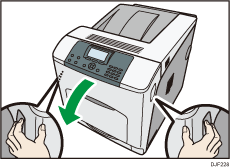
 Carefully open the printer's front cover by pulling the left and right side levers.
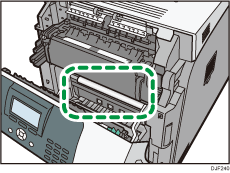
 Set the registration roller as shown.
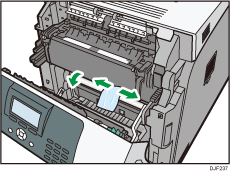
 Clean the registration roller by applying a soft damp cloth while turning it.
 Carefully close the front cover.
 Firmly insert the plug of the power cord into the wall socket. Connect all the interface cables that were removed.
 Turn on the main power switch.


