


 Previous
The paper misfeed message " (Z)" appears when a paper misfeed occurs inside the duplex unit.
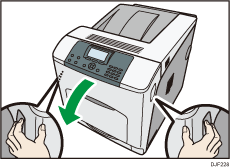
 Carefully open the printer's front cover by pulling the left and right side levers.
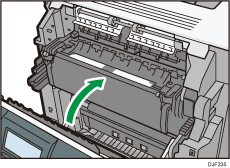
 Tilt the duplex unit backward by carefully raising its front end.
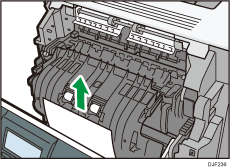
 Carefully remove misfed paper.
 Carefully close the front cover.

When closing the front cover, push the upper side of the cover firmly. After closing the cover, check that the error has cleared.


