


 Previous

|
 Insert the SD card containing the backup custom paper profiles into the SD card slot on the side of the control panel.
 Cancel all custom paper profiles allocated to paper trays.
 Press the [User Tools] key.
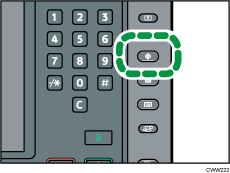
 Press [Adjustment Settings for Operators].
 Press [Machine: Maintenance].
 Press [Back Up / Restore Custom Paper Data].
 Press [Restore Custom Paper Settings].
 Press [OK].

All custom paper profiles registered in the machine are overwritten during the data restoration.
The backup data is restored under the registration number allocated at the time of the back-up.


