Top Page > Paper Specifications and Adding Paper > Loading Paper > Loading Paper into the Paper Bypass Location > Printing from the Paper Bypass Location Using the Printer Function > Specifying regular sizes using the control panel
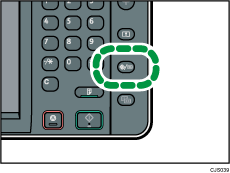
 Press the [User Tools/Counter] key.
 Press [Input Paper Settings].
 Press [Printer Bypass Paper Size].
 Select the paper size.
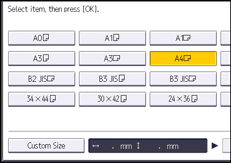
 Press [OK].
 Press the [User Tools/Counter] key.



 Previous


