




Turning On/Off the Power

When you turn the machine off, make sure you press and hold down the [Power] key. If you unplug the Power cord from the wall outlet, ink consumption for maintenance operations may increase.
Turning On the Power
 Press the [Power] key.
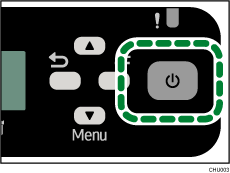
If the machine starts warming up, the [Power] key flashes and the “Waiting...” message will be displayed.
If the machine becomes printable, the [Power] key lights and the “Ready” message will be displayed.
Turning Off the Power
Press and hold down the [Power] key for one second.
When the machine is in shutdown mode, the “Shutting down...” message is displayed.
When the machine stops, the [Power] key and the display turn off.

Energy Saver mode is available for this machine. If you do not use this machine for a specified time after turning it on, the machine will be in Energy Saver mode automatically, and electricity consumption of the machine will be reduced. To specify a wait period for Energy Saver mode initiation, configure the system settings. See Using the [System] Menu
 .
.If the machine is in Energy Saver mode, the [Power] key is unlit.
To disable Energy Saver mode, access the machine from the computer or press the [Power] key.
To cut electricity consumption completely, press the [Power] key for one second, and check that the [Power] key is turned off. Then, unplug the power cord from the wall outlet.

