




 Manuals
 Contents
 Previous
 Next
Next


| | | |
| |||
| |||
| | | |
| ManualsContentsPreviousNext | | |
When a paper jam has occurred in one of the optional paper trays, " (Y1) (Y2) Remove misfeed in (Tray name). Opn & cls Frt. Cov." message appears. The optional paper trays to which this message applies to are as follow:
(Y1): Tray 2
(Y2): Tray 3
This section explains how to remove the jammed paper using tray 2 as an example. The same procedure can be used for the other optional trays.

Forcefully removing misfed paper may cause paper to tear and leave scraps of paper in the printer. This might cause a misfeed and damage the printer.
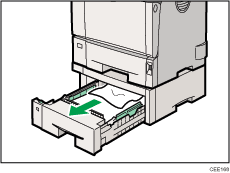
Pull out the paper tray until it stops, and then remove misfed paper.
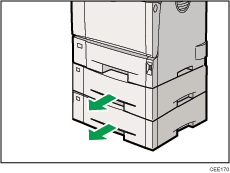
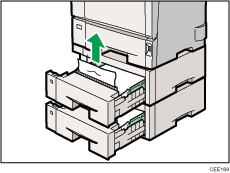
If paper jams occur in multiple trays, a message indicating multiple trays such as "(Y2)" appears. Open all the trays indicated on the control panel, and then remove the jammed paper.
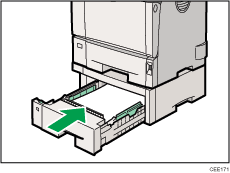
Carefully slide the paper tray into the printer until it stops.
 |
 | Copyright (C) 2010 |
