




Interrupt Copy
Use this function if you want to interrupt a long copy job to make urgently needed copies.

You cannot use the Staple function with this function if another copy job is already using the Staple function.
 Press the [Interrupt] key.
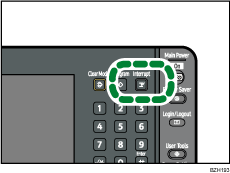
The interrupt key indicator lights.
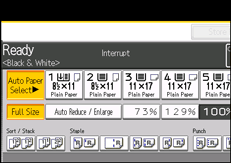
 Remove the originals that were being copied.
 Place the originals you want to copy.
 Press the [Start] key.
 When copying is complete, remove the originals and copies.
 Press the [Interrupt] key again.
The interrupt key indicator goes off.
 Place the originals that you copied before, and then press the [Start] key.
Following the instructions on the display.

The previous copy job settings are restored. Simply press the [Start] key to continue copying from where it left off.

