




Changing the Paper Size in the Large Capacity Tray
This section explains how to change the paper size in the LCT.

To change paper sizes of Tray 5, contact your service representative.
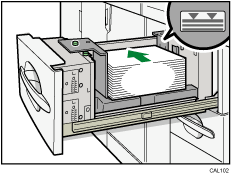
Check that the paper edges are aligned at the left side.
Do not stack paper over the limit mark.
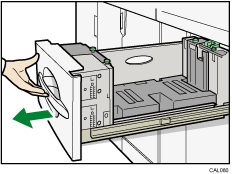
 Carefully pull out the paper tray until it stops.
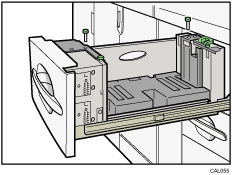
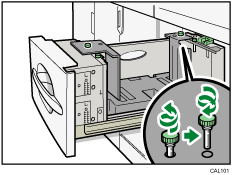
 Remove the screws holding the side fence in position.
 Set the side fences to the size you want.
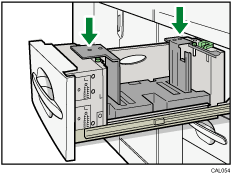
 Fasten the side fence with the screws.
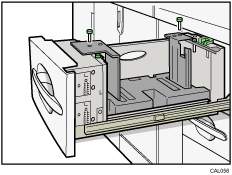
 Set the end fence along the paper size.
 Square the paper, and then set it in the tray.
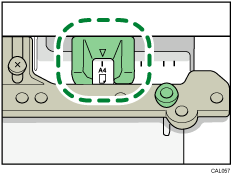
 Set the paper size selector in the innermost part of the tray to the new paper size.
 Carefully slide the paper tray fully in.
 Check the size on the display.
 , 8 1/2" × 11"

