




Selecting the Paper's Name from the Paper Library
 Press the [Paper Setting] key.
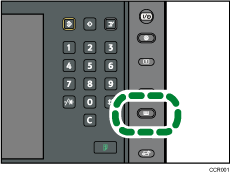
The control panel on your machine might differ slightly from the control panel in this illustration.
 Press [Recall Paper Library]
 Select the name of the paper that you want to register.
Press [ Previous] or [
 Next] to scroll through the list to find the paper that you want to select.
To specify a particular page in the list, press [Specify Page], enter a page number using the number keys, and then press [ ].
].
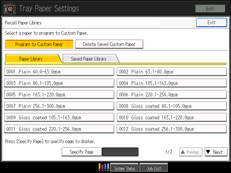
The selected paper is registered as a custom paper.
 Press [Exit].
 Press [Exit].
 Press the [Paper Setting] key.
You can also close the Tray Paper Settings screen by pressing [Exit].

To modify a custom paper, see “Modifying a Custom Paper”.


